Best AI Helpdesk for Universities and Higher Education

Universities face helpdesk challenges that most enterprise software was never designed to solve. A single campus might support 15,000 students, 3,000 faculty and staff, and hundreds of visiting researchers, all expecting instant support across IT, financial aid, housing, the registrar's office, and a dozen other departments. Traditional helpdesk tools built for corporate environments simply do not fit.
The numbers tell the story. Student-to-IT-staff ratios at many universities exceed 500:1. Support request volume can spike 10x during enrollment periods, the start of semester, finals week, and graduation. Students expect instant, chat-based support while faculty often prefer email or phone. And all of this must happen within tight public university budgets that cannot absorb enterprise software pricing.
This guide evaluates the leading AI helpdesk solutions specifically for higher education, comparing features, pricing, and fit for different types of institutions.
Why Universities Need AI-Powered Helpdesk Software
The Scale Problem
University IT departments operate at a scale that would overwhelm most corporate helpdesks. A mid-size state university might process 50,000 password reset requests per year, handle 20,000 software access requests, and field countless questions about WiFi connectivity, email configuration, and learning management system access.
The volume is not constant. Predictable spikes occur during enrollment periods (when every incoming student needs account setup), the start of each semester (when syllabi reveal new software requirements), finals (when every system failure becomes an emergency), and graduation (when seniors suddenly need transcript access and email forwarding).
Without AI-powered automation, these spikes require either massive overstaffing during normal periods or unacceptable response times during peak demand.
Multi-Department Complexity
Unlike a typical business where IT handles all technology support, universities distribute helpdesk functions across multiple departments:
- IT Services: Hardware, software, network, account access
- Financial Aid: FAFSA questions, scholarship status, payment plans
- Registrar: Enrollment, transcripts, graduation requirements
- Housing: Room assignments, maintenance requests, move-in logistics
- HR: Benefits, payroll, onboarding for faculty and staff
- Library: Research databases, interlibrary loans, equipment checkout
Students expect a single place to ask questions. They do not know (and should not need to know) whether their question about accessing a course belongs to IT, the registrar, or their department. An effective university helpdesk must route inquiries to the right department without requiring users to navigate organizational structures.
The Digital Native Expectation Gap
Current students grew up with instant messaging, chatbots, and real-time responses. Email-based ticketing systems that were standard in 2010 feel antiquated to someone who expects the same responsiveness from their university that they get from consumer applications.
At the same time, faculty members who have used email for decades may resist chat-based systems. Staff across departments have varying levels of technical comfort. An effective university helpdesk must support multiple communication channels without fragmenting the support experience.
Budget Constraints
Public universities in particular face constant budget pressure. IT departments must justify every expenditure with clear ROI. Enterprise helpdesk solutions with six-figure implementation costs and per-agent pricing that scales into tens of thousands annually are often simply not feasible.
The most viable solutions for higher education combine robust functionality with pricing models that fit departmental budgets, not just enterprise IT spending authority.
Key Features to Look for in a University AI Helpdesk
When evaluating helpdesk solutions for higher education, prioritize these capabilities:
| Feature | Why It Matters for Higher Ed |
|---|---|
| Microsoft Teams / LMS Integration | Students and staff already live in Teams, Canvas, and Blackboard. Meeting them where they are increases adoption and reduces friction. |
| AI Knowledge Base (RAG) | Answer common questions instantly without human intervention. Password resets, enrollment deadlines, parking permit applications, and WiFi setup instructions should not require a support agent. |
| Multi-Department Routing | One entry point that intelligently routes to IT, HR, Financial Aid, Housing, or other departments based on the nature of the request. |
| AI-to-Human Handoff | Escalate complex issues to human agents without losing context. The student should not have to repeat their problem. |
| Multi-Language Support | International student populations require support in multiple languages. AI translation capabilities make this feasible without multilingual staff. |
| FERPA Compliance | Student data privacy is non-negotiable. Any system handling student information must meet Family Educational Rights and Privacy Act requirements. |
| Seasonal Scalability | Handle 10x volume during enrollment and finals without adding temporary staff. AI automation makes this possible. |
| Self-Service Portal | A searchable knowledge base and FAQ system reduces ticket volume by enabling students to find answers independently. |
Best AI Helpdesk Solutions for Universities (Compared)
Quick2Chat
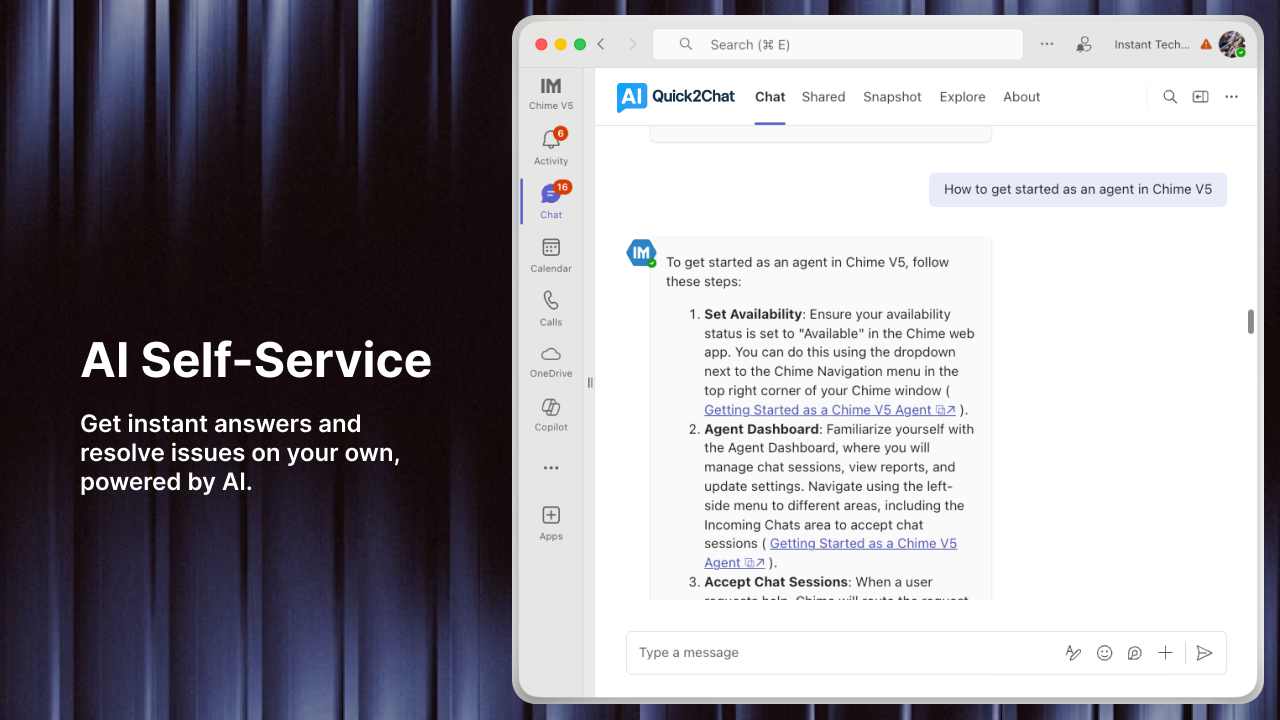
Overview: AI-powered helpdesk built natively for Microsoft 365 environments. Uses Azure OpenAI for intelligent responses and integrates directly with Microsoft Teams, SharePoint, and the broader Microsoft ecosystem.
Why it fits higher ed: Universities heavily invested in Microsoft 365 get seamless integration without middleware or complex configuration. The multi-department support model matches how universities actually organize helpdesk functions. The AI knowledge base can ingest existing documentation from SharePoint, creating an intelligent FAQ without manual content creation.
Key features:
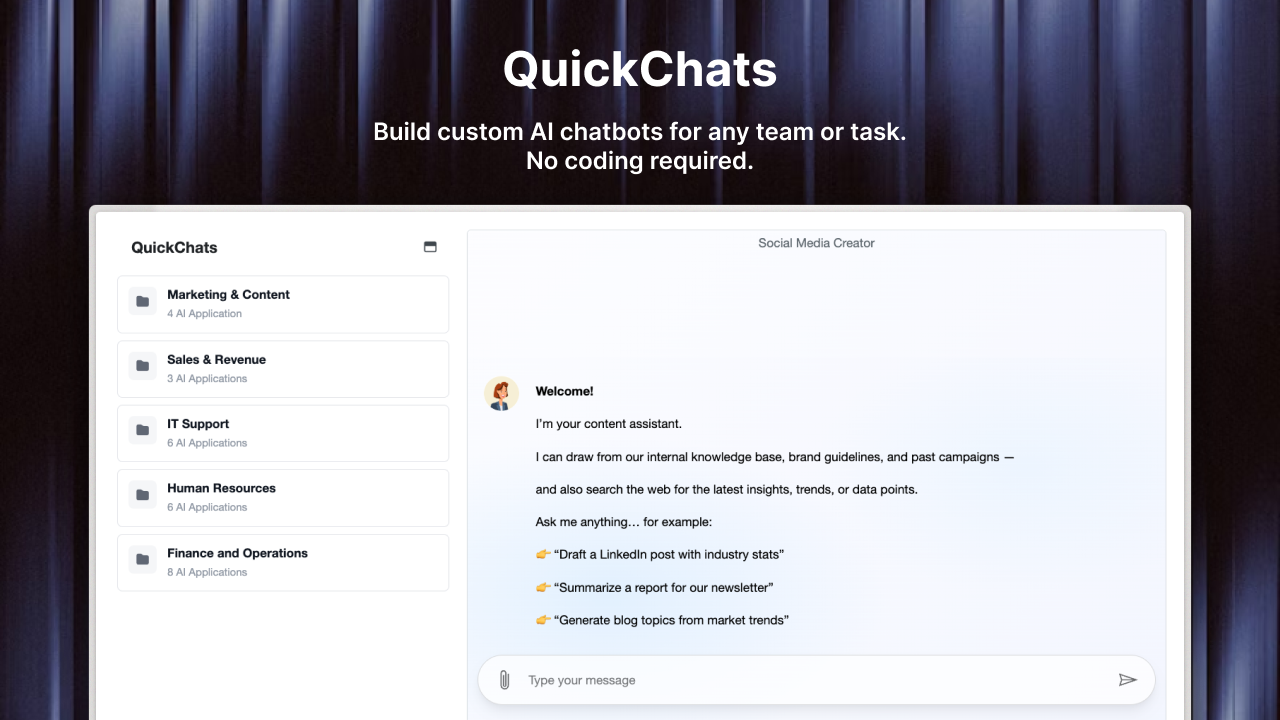
- Native Microsoft Teams chatbot
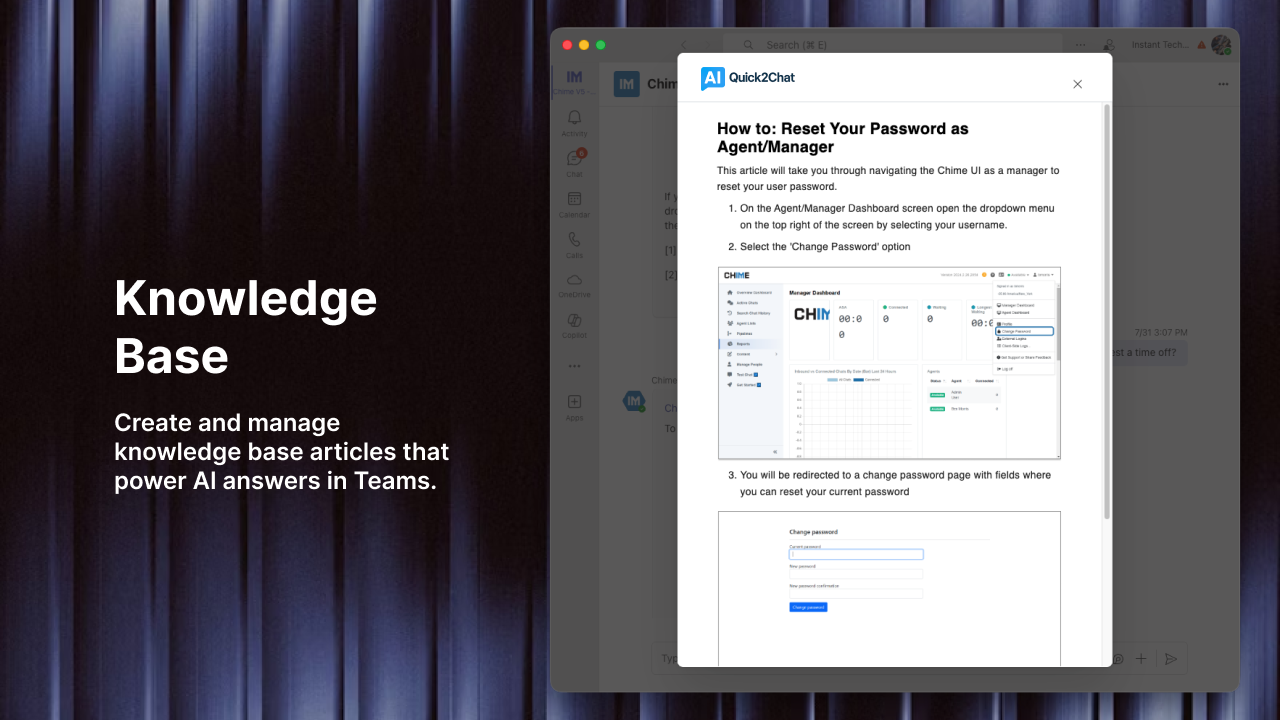
- AI knowledge base with RAG (retrieval-augmented generation)
- Human handoff with full conversation context
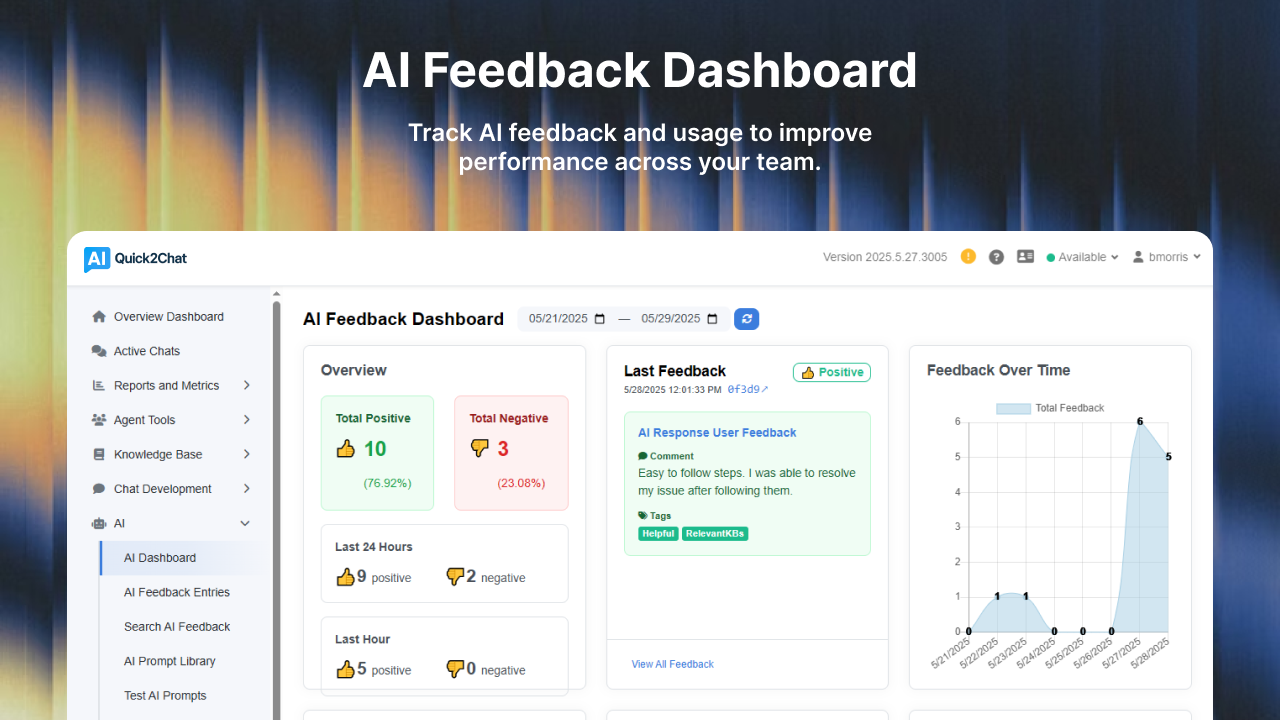
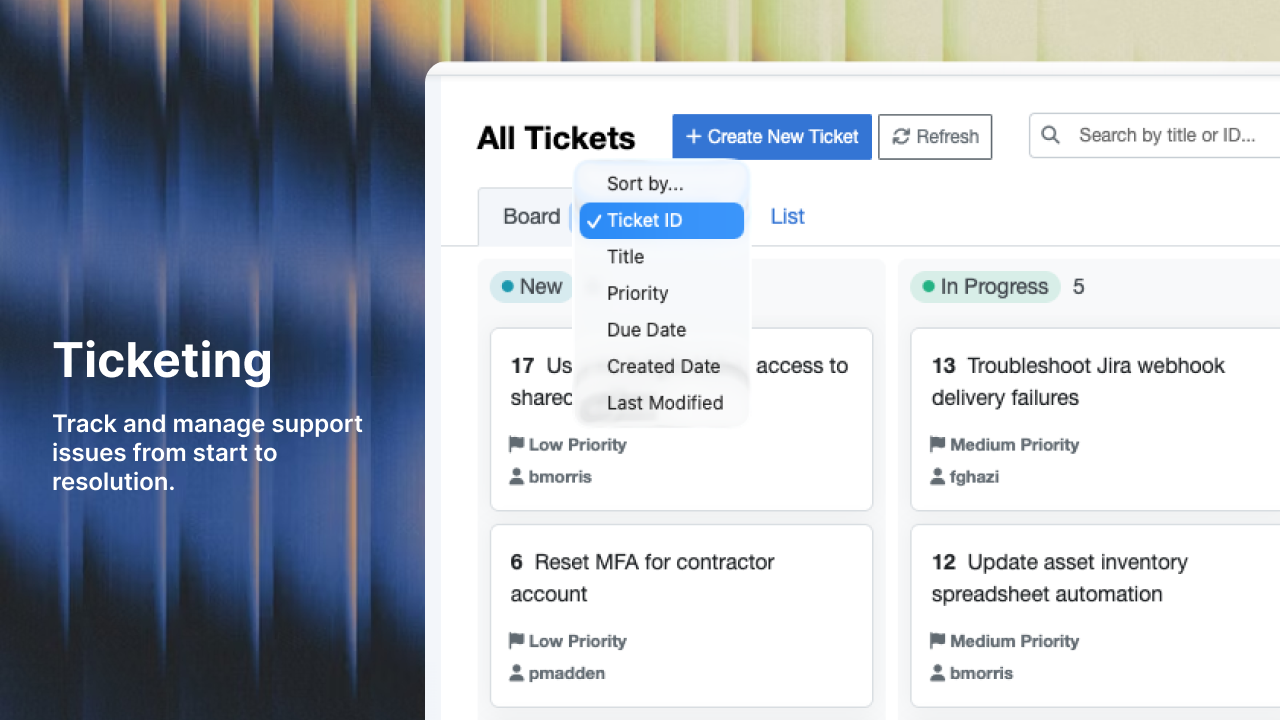
- Ticketing system for tracking and metrics
- SharePoint document sync for knowledge base
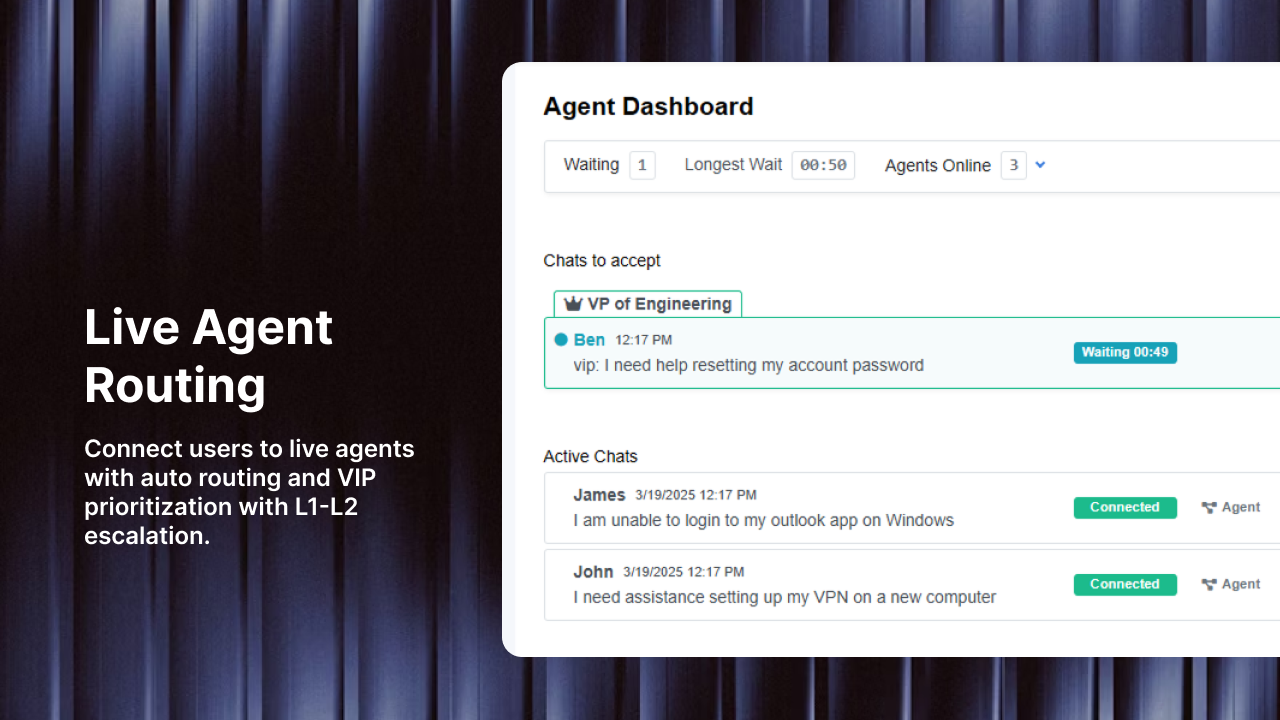
- Multi-department routing and separate queues
Pricing: Starts at $1,800/year, making it accessible for individual departments or smaller institutions.
Best for: Mid-size universities already using Microsoft 365 who want AI-powered automation without enterprise complexity or pricing.
ServiceNow
Overview: Enterprise IT service management (ITSM) platform with extensive customization capabilities and ITIL compliance.
Pros: Extremely powerful workflow engine, comprehensive feature set, proven at large research universities, strong integration ecosystem.
Cons: Implementation costs frequently exceed $100,000. Requires dedicated administrators. The complexity that makes it powerful also makes it overkill for many campuses.
Pricing: Custom quotes only, typically requiring multi-year commitments.
Best for: Large research universities with dedicated IT teams and budget for enterprise software.
Freshservice
Overview: Cloud-based ITSM with AI features from Freshworks. Offers a more modern interface than legacy ITSM tools.
Pros: Clean user interface, good automation capabilities, reasonable per-agent pricing, established vendor.
Cons: Microsoft Teams integration requires additional configuration. Less higher-ed-specific functionality compared to purpose-built solutions.
Pricing: Starts at $19/agent/month for basic tier, with AI features in higher tiers.
Best for: Universities wanting traditional ITSM capabilities with modern AI enhancements.
TeamDynamix
Overview: Built specifically for higher education and government sectors. Combines IT service management with project portfolio management.
Pros: Higher-ed focus means features designed for university workflows. Strong project management capabilities for IT initiatives. Good understanding of university organizational structures.
Cons: AI capabilities less mature than newer entrants in the market. Interface can feel dated compared to modern SaaS tools.
Pricing: Contact sales for quotes. Typically offers education-specific pricing.
Best for: Universities wanting an all-in-one IT service desk and project management platform from a vendor that understands higher education.
Desk365
Overview: Microsoft Teams-native helpdesk focused on simplicity and quick deployment.
Pros: Deep Teams integration, straightforward setup process, affordable pricing, no per-agent fees in some plans.
Cons: AI features are more basic than dedicated AI-first platforms like Quick2Chat. Better suited for simpler helpdesk needs.
Pricing: Starts at $12/agent/month.
Best for: Smaller institutions or departments wanting basic Teams-integrated ticketing without AI complexity.
SysAid
Overview: Established ITSM platform that has added AI-powered Copilot features to its traditional helpdesk capabilities.
Pros: Strong automation workflows, good Teams chatbot functionality, combines traditional ITSM with modern AI.
Cons: Pricing requires sales engagement. Can become complex for smaller teams.
Pricing: Contact sales for quotes.
Best for: Universities wanting traditional ITSM robustness enhanced with modern AI capabilities.
Comparison Table
| Solution | Teams Integration | AI Knowledge Base | Multi-Department | Starting Price | Best For |
|---|---|---|---|---|---|
| Quick2Chat | Native | Advanced (RAG) | Yes | $1,800/yr | Microsoft-first campuses |
| ServiceNow | Add-on | Yes | Yes | $$$$ (Enterprise) | Large research universities |
| Freshservice | Add-on | Yes | Yes | $19/agent/mo | Mid-size with ITSM needs |
| TeamDynamix | Limited | Basic | Yes | Contact sales | Higher-ed specific needs |
| Desk365 | Native | Basic | Yes | $12/agent/mo | Budget-conscious schools |
| SysAid | Native | Yes | Yes | Contact sales | ITSM + AI hybrid |
Real University Use Cases
IT Helpdesk Automation
The most common starting point for university AI helpdesk deployment is IT services. Common automation targets include:
- Password resets: Students forget passwords constantly, especially at semester start. AI can verify identity and process resets without human intervention.
- VPN and network access: Configuration instructions and troubleshooting for remote access.
- Software access requests: Automating the request and approval workflow for licensed software.
- WiFi connectivity: The most common question on any campus, easily handled by AI with device-specific instructions.
Universities implementing AI helpdesk automation for IT services typically report 30-50% reduction in tickets requiring human response.
Student Services One-Stop Shop
The "one-stop shop" model consolidates student-facing services into a single entry point. A student asking "When is the deadline to add a class?" does not need to know whether that question belongs to the registrar, their advisor, or their department.
An AI-powered one-stop chatbot can:
- Answer common financial aid questions (FAFSA deadlines, disbursement dates, scholarship requirements)
- Provide registration information (add/drop deadlines, enrollment verification)
- Handle housing inquiries (move-in dates, maintenance requests, roommate changes)
- Route complex questions to the appropriate department with full context
HR and Employee Support
Faculty and staff represent a distinct user population with different needs:
- Benefits enrollment and questions
- Payroll inquiries
- New employee onboarding workflows
- Leave requests and policy questions
Separating employee-facing support from student-facing support ensures appropriate data handling and allows for role-specific knowledge bases.
Facilities and Campus Operations
Beyond traditional IT, AI helpdesk tools can support:
- Maintenance request submission and tracking
- Room and facility booking
- Parking permit applications
- Event support requests
These operational functions benefit from the same automation and routing capabilities as IT services.
Implementation Considerations for Higher Ed
Integration Requirements
University IT environments are complex. Key integration points include:
Student Information Systems (SIS)
- Banner, PeopleSoft, Workday Student, Ellucian
- User verification and enrollment status
- Academic calendar integration
Learning Management Systems (LMS)
- Canvas, Blackboard, Moodle, Brightspace
- Course-specific support routing
- Integration with course help resources
Identity and Access
- Microsoft 365 / Azure AD
- Google Workspace
- Shibboleth for federated authentication
- Single sign-on across all systems
Compliance and Security
FERPA Requirements
Any system handling student data must comply with the Family Educational Rights and Privacy Act. Key considerations:
- Data storage location and access controls
- Audit logging of who accessed what information
- Proper handling of educational records
- Student consent for data sharing
Data Residency
Some institutions have requirements about where data is stored. Cloud solutions must clarify data center locations. On-premises options may be necessary for certain data types.
Accessibility
ADA and Section 508 compliance is mandatory for public universities. The helpdesk interface must be accessible to users with disabilities, including screen reader compatibility and keyboard navigation.
Change Management
Faculty Adoption
Faculty members often resist new technology tools. Successful adoption requires:
- Clear communication about benefits
- Training sessions (brief and optional, not mandatory multi-hour workshops)
- Gradual rollout rather than immediate switchover
- Continued support for traditional channels during transition
Student Communication
Students adapt quickly but need to know the new system exists. Promotion through:
- Orientation programs for new students
- Email announcements at semester start
- Posters and digital signage in high-traffic areas
- Promotion by RAs, TAs, and student workers
IT Staff Training
Staff using the helpdesk backend need training on:
- AI response review and correction
- Knowledge base maintenance
- Escalation procedures
- Reporting and analytics
Pilot Program Approach
Universities should not attempt institution-wide deployment on day one. A proven approach:
- Start with one department: IT helpdesk is often the best pilot because of high volume and clear metrics.
- Measure baseline: Document current ticket volume, response times, and resolution rates.
- Deploy and iterate: Run the pilot for one semester, adjusting AI responses and workflows.
- Document ROI: Calculate ticket deflection rate and time savings.
- Expand gradually: Add departments one at a time, applying lessons from each deployment.
Questions to Ask Vendors
When evaluating AI helpdesk solutions for your university, ask:
-
Do you have existing higher education customers? Request references and case studies from similar institutions.
-
How does your AI handle FERPA-protected information? Get specific documentation on data handling, storage, and access controls.
-
What is the total cost for our use case? Request pricing for your specific number of agents, departments, and expected volume. Beware of per-interaction fees that can escalate quickly.
-
How long does implementation typically take for a university? Get realistic timelines from similar deployments, not sales optimism.
-
Can we pilot with one department before committing? Vendors confident in their product should allow proof-of-concept deployments.
-
How do you handle seasonal volume spikes? Ensure the platform can scale for enrollment and finals periods without performance degradation or additional cost.
-
What integrations are available out of the box? Confirm compatibility with your SIS, LMS, and identity systems.
-
What does knowledge base maintenance require? Understand the ongoing effort to keep AI responses accurate and current.
Conclusion
Universities need AI helpdesk tools that address their unique challenges: massive scale with unpredictable spikes, multi-department complexity, diverse user populations, and constrained budgets. Solutions built for corporate environments rarely fit without significant customization.
Recommended approach by institution type:
-
Small colleges with limited IT budget: Desk365 for basic ticketing or Quick2Chat Standard for AI automation within Microsoft 365.
-
Mid-size universities on Microsoft 365: Quick2Chat Premium provides native Teams integration, advanced AI knowledge base, and multi-department support at a price point accessible to departmental budgets.
-
Large research universities with complex ITSM requirements: ServiceNow or Freshservice Enterprise provide the workflow customization and ITIL compliance needed for complex environments, but require corresponding implementation investment.
-
Institutions prioritizing higher-ed-specific vendors: TeamDynamix offers purpose-built functionality for university workflows and project portfolio management.
The right choice depends on your existing technology ecosystem, budget constraints, and the sophistication of support you need to provide. Start with a pilot, measure results, and expand based on demonstrated value.
Frequently Asked Questions
What is the best helpdesk software for universities?
The best solution depends on your institution's size, existing technology stack, and budget. For Microsoft 365 environments, Quick2Chat offers strong AI capabilities with native Teams integration. For large research universities with complex ITSM needs, ServiceNow remains the enterprise standard. TeamDynamix is purpose-built for higher education workflows.
How much does university helpdesk software cost?
Pricing ranges widely. Basic Teams-native solutions like Desk365 start around $12/agent/month. AI-powered platforms like Quick2Chat start at $1,800/year for the full platform. Enterprise ITSM solutions like ServiceNow typically require six-figure implementations plus ongoing licensing. Always request pricing for your specific use case rather than relying on list prices.
Can AI helpdesk software integrate with Banner or PeopleSoft?
Most enterprise-grade helpdesk solutions offer integration capabilities with major student information systems including Banner, PeopleSoft, and Workday Student. Integration depth varies. Some provide user authentication only, while others can pull enrollment status, financial aid information, and other student data to personalize support. Confirm specific integration capabilities with vendors.
Is AI helpdesk software FERPA compliant?
FERPA compliance depends on how the software is configured and used, not just the software itself. Key requirements include proper access controls, audit logging, data encryption, and appropriate data handling procedures. Most reputable helpdesk vendors provide FERPA-compliant configurations, but institutions must verify compliance for their specific implementation and usage patterns.
How do universities reduce IT ticket volume?
The primary strategies are AI-powered self-service and knowledge base automation. When students can get instant answers to common questions (password resets, WiFi setup, software access) without submitting a ticket, volume drops significantly. Universities implementing AI helpdesk solutions typically report 30-50% reduction in tickets requiring human response, with higher rates for well-defined, repetitive queries.